Book the room for Tuesday. Make that Wednesday afternoon.
Polish when you choose
Your words stay as you said them until you ask.
Local model or your chosen provider.
01
Polish only when you ask.
Keep your original wording, or request a rewrite using your selected model and instructions.
The original stays in History.
Say it your way
Move the records to postgress.
Your saved replacement
postgressPostgreSQL
Write it your way
Move the records to PostgreSQL.
Saved scope: Agent prompts
02
Keep your own vocabulary.
Names, technical terms, the way you write. Define replacements so Stenox gets the words you choose.
Your terms. Your correction scope.
03
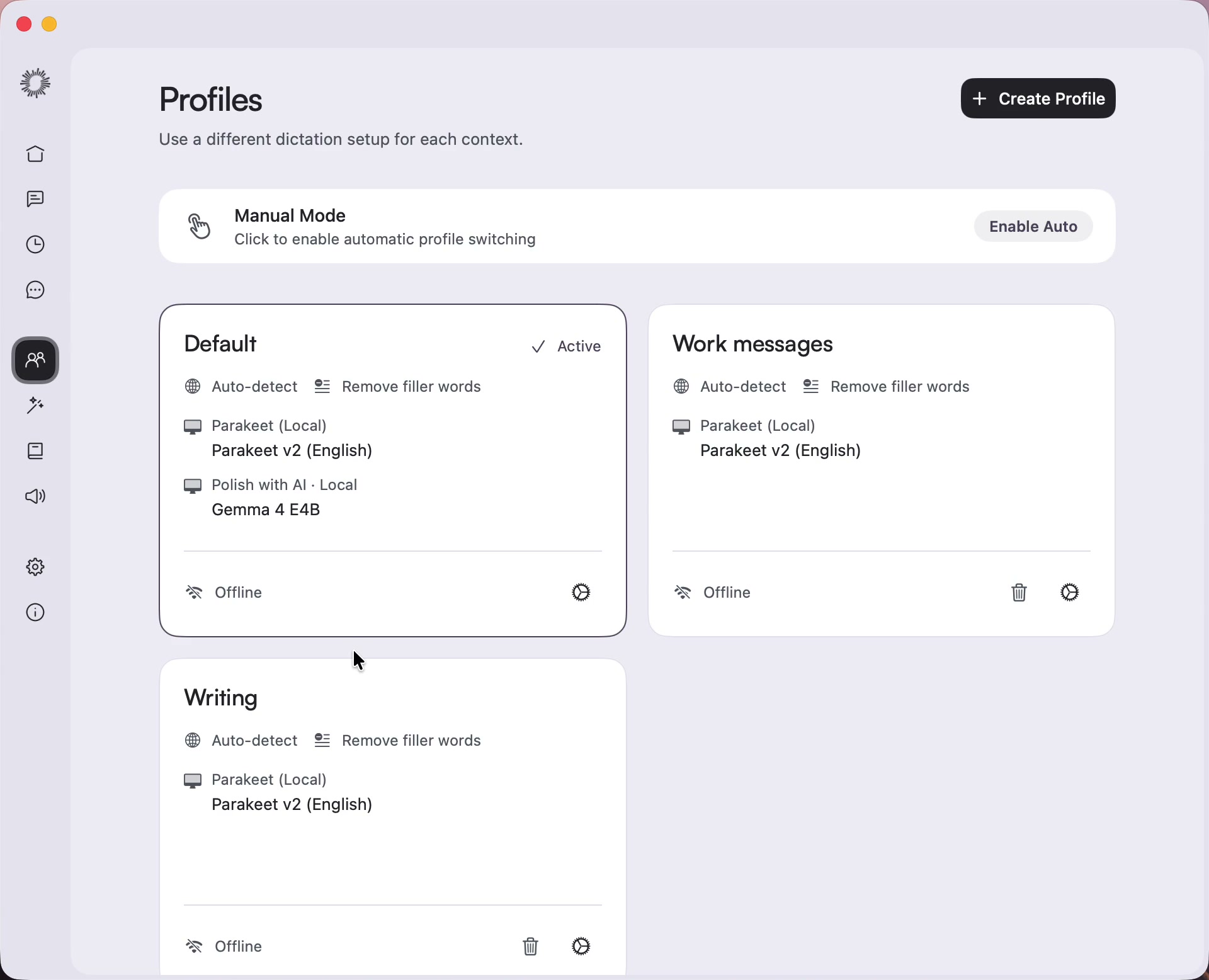
A profile for your apps.
Give a group of apps its own profile, or create one for a single app. Switch profiles yourself or enable automatic switching.
Your models. Your writing settings.
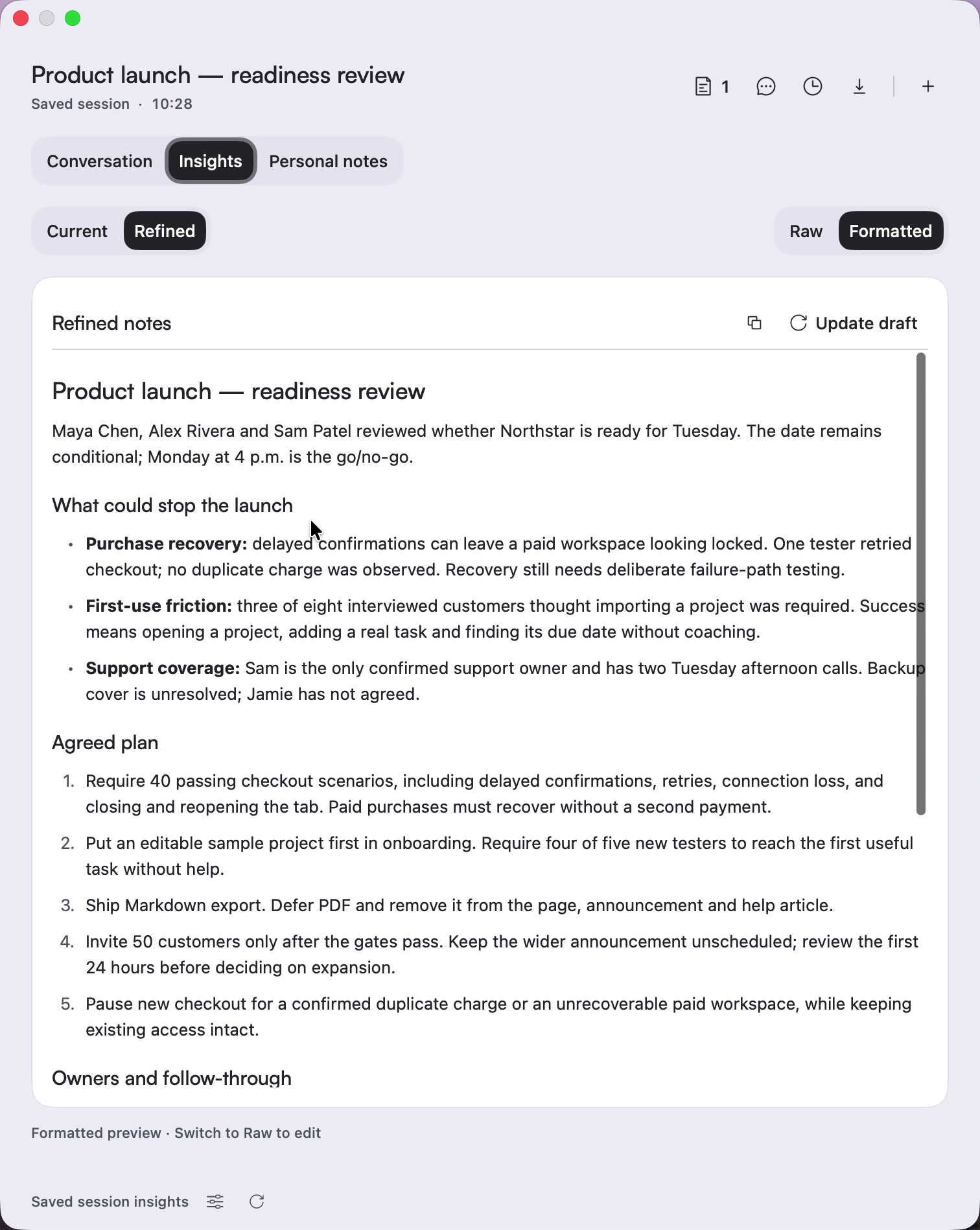
A recorded example meeting in Notetaker.
04
Stay in the conversation.
Capture microphone and system audio without a meeting bot. Review speakers, source-linked decisions and tasks.
Ask Stenox what you missed.
Recorded demo activity, not a performance benchmark.
05
Keep the original.
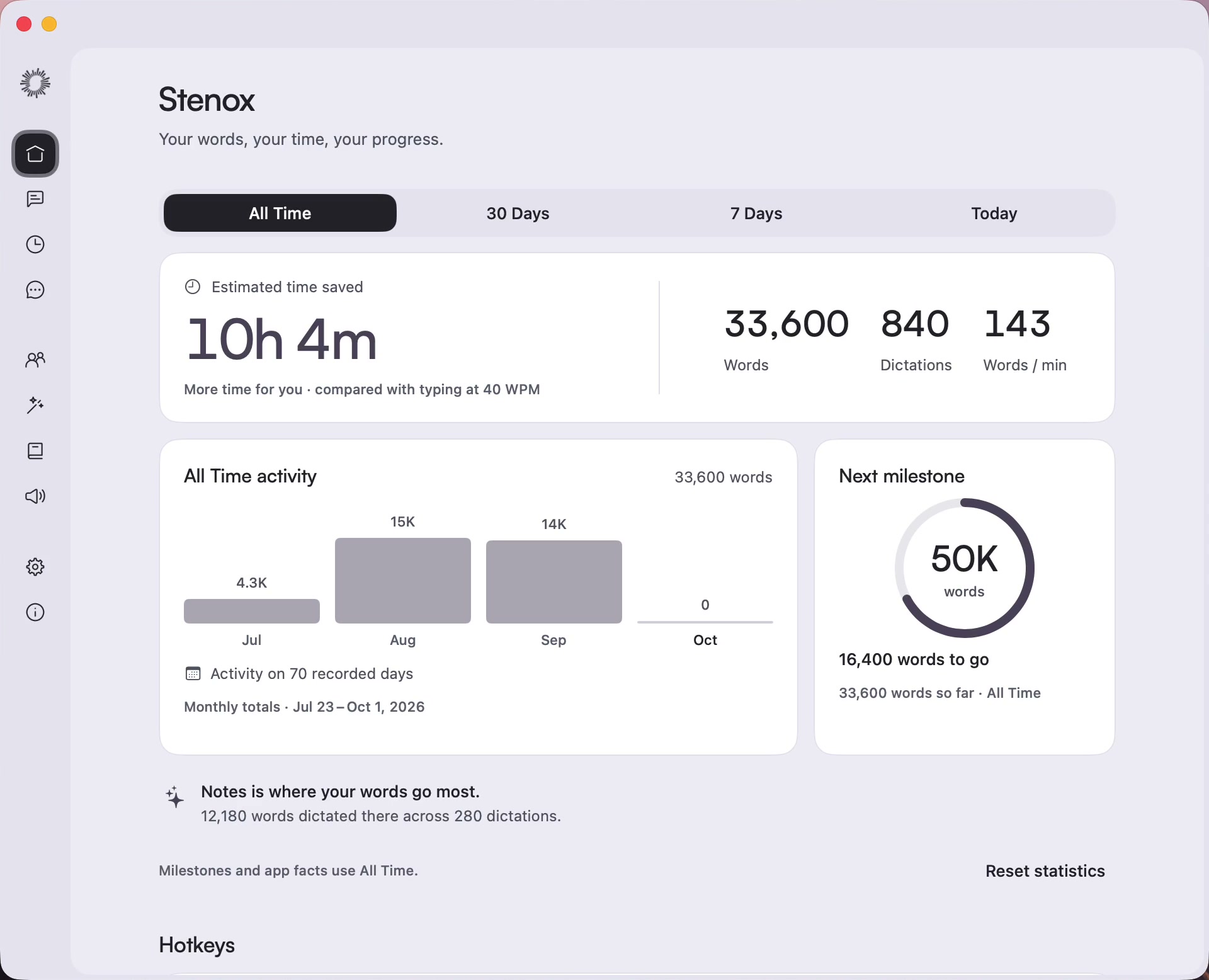
Find past dictations in your local history. Revisit the original, copy the result and see your activity.
Your history stays on your Mac.
Work in your existing apps.
Your agent, notes, browser, or editor. Put the cursor where you need it and use one shortcut.
Choose your models.
Choose speech models, cleanup, and formatting for a group of apps, or just one app.
Find past dictations.
Find past dictations in your local history and copy what you need.
Your Mac. Your choice.
Keep speech, optional Polish, and meeting insights on your Mac.
Your words, your rules.
Choose your models, remove filler words, and decide how your text is polished.
Stenox
Text cleanup
Choose how your words are cleaned up after dictation.
Cleanup options
Remove filler wordsRemove clear filler sounds such as “um,” “uh,” and “erm”
Polish on demandOffer Polish after dictation. Runs only when you click it.
ProviderChoose where AI processing runs
Your transcript is sent to Codex using your subscription only when you click Polish.
Example subscription connection
ModelUsed when you click Polish
ReasoningLower levels usually finish sooner
Writing Style
Set the tone for AI-enhanced text
Book the room for Tuesday. Make that Wednesday afternoon, and send the agenda to the team.
Illustrative text · no provider request
Illustration only. These controls do not change your installed app or contact a provider.
A thought, with room to change your mind.
You say: Hey Maya, the deck is done. Actually, say it’s ready for review. Can you take a look before Friday? With optional Polish: Hi Maya, the deck is ready for review. Could you take a look before Friday?
You say
“Hey Maya, the deck is done. Actually, say it’s ready for review. Can you take a look before Friday?”“Hey Maya, the deck is done. Actually, say it’s ready for review. Can you take a look before Friday?”
With optional Polish
Hi Maya, the deck is ready for review. Could you take a look before Friday?
Ready to paste
Illustrative examples. Polish runs when you ask, using your selected local model or provider.
Stenox Notetaker
Stay in the conversation.
Capture microphone and system audio without a meeting bot. Review speakers, source-linked decisions and tasks. Ask Stenox what you missed.
The conversation, connected.
Keep personal notes and references beside the transcript. Start from a calendar event or a blank meeting.
The processing, your choice.
Use on-device insights or a supported cloud provider. Optional calendar access is read-only.
Local speech, optional Polish, and on-device meeting insights.
Bring your own API key
Connect your preferred supported cloud provider.
Use your own subscription
Use an eligible plan for supported AI features.
Cloud options depend on the feature and provider plan.
Start your trial online. Paid licenses refresh weekly, with up to 30 days offline from the last successful check. Licensing requests use device and entitlement information, never your recordings or transcripts.
One payment. Lifetime access.
Make it yours. Keep it yours.
Open source keeps expanding what’s possible. You pay once for the app that brings it together.
Stenox turns speech into text, applies enabled filler removal and your word replacements, and lets you choose settings for different apps. Optional AI Polish can rewrite a dictation when you ask. Polish is initially off and uses your selected local model or Gemini; ordinary dictation does not automatically run an AI rewrite.
How does the seven-day trial work?
In Stenox, choose Start 7-day trial while online. No account or card is required. Your trial starts when that request succeeds, not when you download the app. Use all of Stenox for seven days, then purchase a license to start new work. There is no ongoing free tier.
What happens when my trial ends?
When the trial ends, you can still view and export your history, and work already in progress can finish. A license is required to start new work. Paid offline access does not extend the trial.
Is this a subscription?
No. Stenox is C$69 CAD, paid once, plus applicable taxes. Permanent access to purchased features. Future major upgrades may cost extra. This special offer remains available until we update it, with no scheduled end date. C$100 is the planned standard price, not a previous selling price.
Why a one-time price?
Open-source tools make Stenox possible and keep expanding what we can build. You pay for the work of bringing those capabilities into a useful Mac app: integration, design, and everyday workflows. We believe that contribution deserves a fair one-time price. Permanent access covers purchased features; future major upgrades may cost extra. Optional provider costs are separate.
How many Macs can I use?
New licenses cover 2 Macs. You can deactivate a device in the customer portal when you replace a Mac. Existing license holders keep their original allowance.
Does Stenox need an internet connection?
Starting the trial and activating a license require an internet connection. Local speech and language processing run on your Mac after the models are downloaded. Paid licenses are checked every seven days. You can work offline for up to 30 days from the last successful check. Temporary connection failures do not move that deadline. After it expires, reconnect and verify before starting new work; history, export, and ongoing work are preserved. Licensing requests do not upload your audio or transcripts.
What if I already bought Stenox?
Valid existing licenses are honored, with their original rights and device allowance. You do not need to buy another license for that access. Your key and receipts are available in the customer portal.
Can I get a refund?
The existing 7-day money-back policy applies. Email support@stenox.app within seven days of purchase with your confirmation ID and receipt screenshot. After verification, refunds are processed in 3–5 business days to the original payment method, subject to the refund policy.
Can I use AI dictation without uploading my audio or text?
Yes. Choose local Parakeet, Whisper, or Cohere Transcribe for speech, and choose Local for any enabled AI Polish. Prepare the models first and check your active profile, which can override these choices. Cloud speech sends audio to its provider; Gemini Polish sends text and writing instructions. Meeting insights have a separate provider choice.
Which Macs support Stenox?
Stenox requires an Apple Silicon Mac running macOS 15 Sequoia or later, with enough free storage for your selected models. Download and prepare those models before using local speech or local Polish. The current Mac app does not support Intel Macs.